Rebuilding the game in 3D
Until 0.6, the UNI table was HTML. Now it is a 3D, hardware-accelerated scene. Here, I explain how and why I went through the pain of doing this.
What the table used to be
Through 0.5 the board was plain HTML and CSS, painstakingly made to be SLIGHTLYSLIGHTLY responsive (it was not). I tilted the whole thing back with a CSS perspective to fake a table, and dragging a card relied on a drag-and-drop library. Everything was static, and the animations were hardcoded.
It worked. It was a special kind of hell, but it worked. It also had a ceiling, a two-dimensional one. Cards could not arc over the table, flip mid-air or tuck behind another card. And a layout designed for four seats, in a PARTY GAMEPARTY GAME, is very limiting.
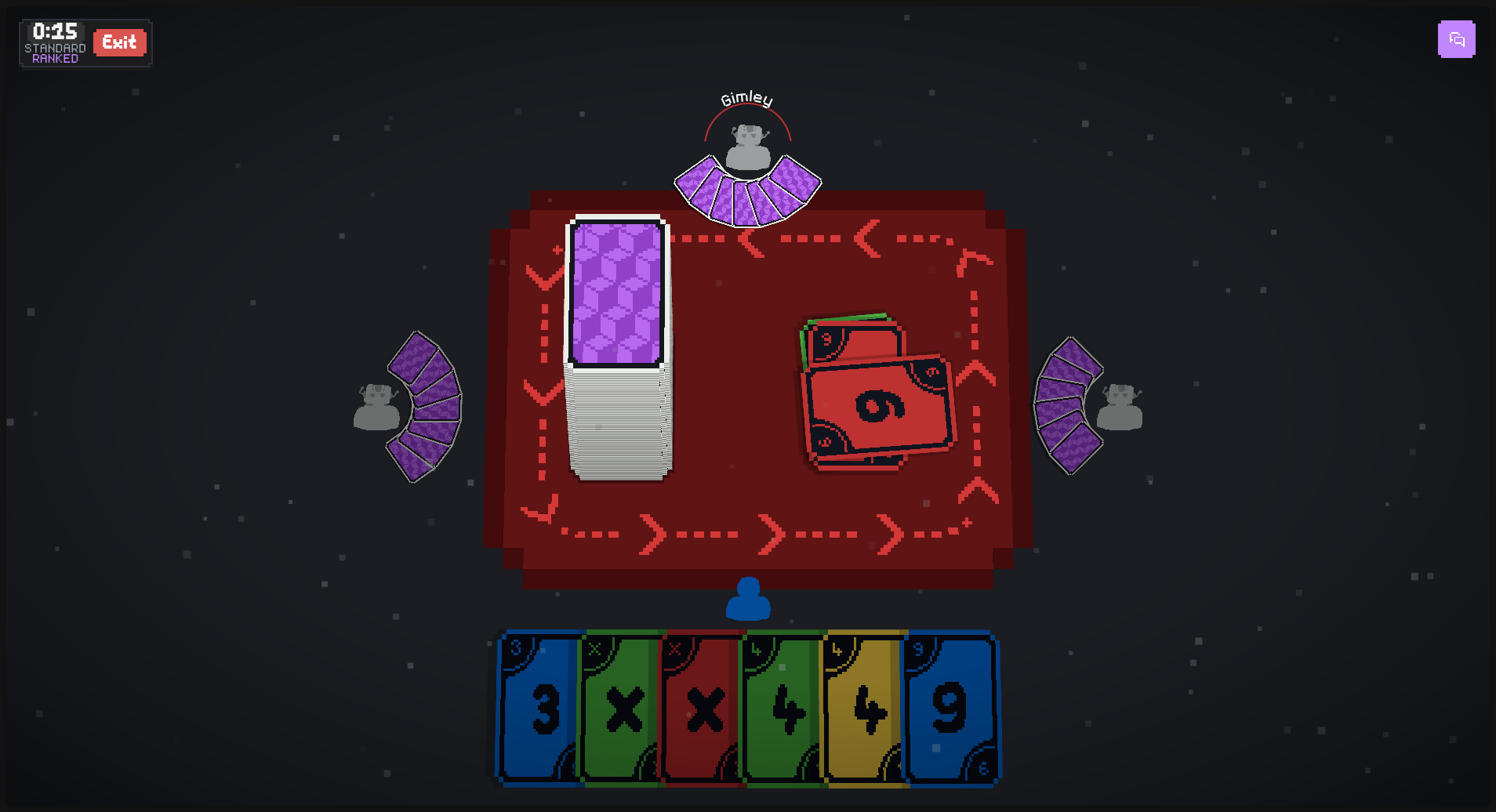
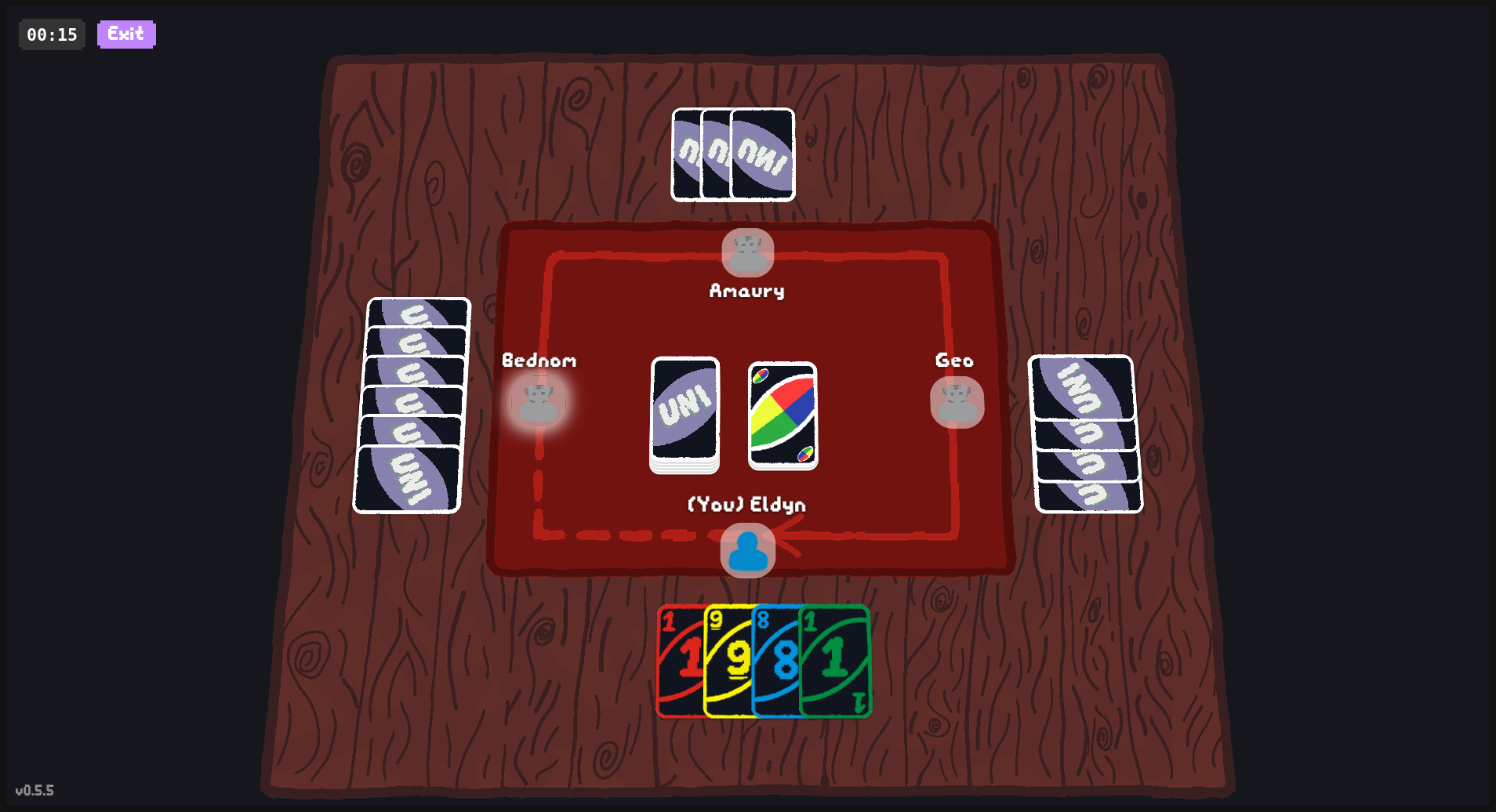 0.5.50.6
Why I switched
UNI exists to become a customizable card game, and the game screen is the core of that. A game screen locked to four seats, with no room to move, no 3D, no data-driven animations and no shaders was a real limiting factor. The table also only worked in landscape orientation, so phones, the primary user base, could not really play (and I could not record content for Instagram or other short-form video). Custom rules, custom cards and custom looks all have to show up on that screen, and a layout that crappy could never show them.
Thus, the screen had to stop being what it was and become a framework to build on.
What Threlte is
Three.js is the standard library for putting 3D in a browser. Threlte is a set of Svelte components wrapped around it. Instead of building a scene by calling functions in order, you describe it the way you do the rest of a Svelte app: a card is a component, a seat is a component, the camera is a component. Props and state flow in as usual.
That is why I picked it. The 3D table is still part of the same app, nothing else had to change, reducing greatly the work needed.
The half-move
We transitioned to Threlte, now what? Everything worked correctly, but, of course, animations did not. Card flight kept running through a 2D overlay of page elements, now broken, laid on top of the 3D canvas.
Given the task, that code had to be retired too, I wouldn’t be doing all of this for 3D environment, but then give up on the core content of the game: juicy, well animated cards. Of course, I replaced the whole thing. Now, flight targets are world-space coordinates from the same pure functions that lay out hands and seats. If I change the position of a player, or the position of the discard pile, the cards will still animate correctly, no more pain!
One queue, and every step can be skipped
Animations run as a serial queue: one step at a time, in order, so a match never turns into forty cards flying around at once. The part I care about most is that every step is skippable. Click or tap and the current step snaps to its end state, then the queue moves on. I hate waiting on animations in games, so I was not going to build the thing I hate. Fast games stay fast!
A step is small and dumb on purpose: move a card, flip it, shake the pile, flash the screen. A card effect is just a chain of those steps. That is also the shape a modded card will use, so nobody needs to write animation code to make a card feel like something.
There was one more problem. The client had to guess those steps by comparing one game snapshot with the next, and, as you can imagine, it guessed wrong a lot. In 0.6 the server sends the sequence of events itself and the board just plays it. Cards fly where they really went!
Where it stands in 0.6
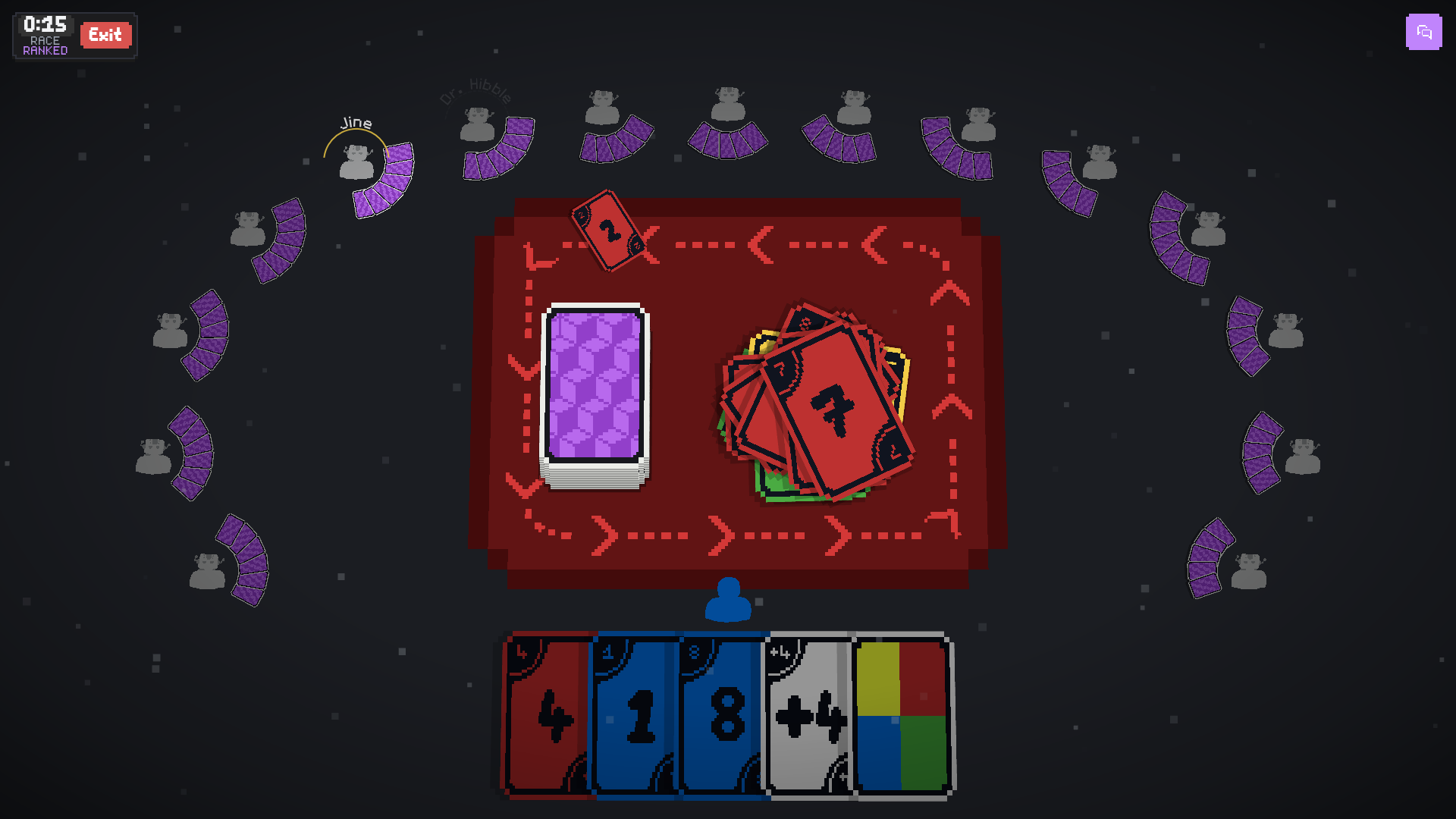
- The camera looks straight down, and the scene fits any screen shape, from a phone in portrait to a wide monitor. Phones were the whole point, after all.
- Seats sit on an arc around the table, so sixteensixteen players fit.
- Each card is a single mesh that samples one shared texture atlas, instead of a stack of layers fighting each other.
- A match opens with a dealing cinematic. Skippable, of course.
- Special cards land with a short hit-stop, a small camera punch and a flash of the card’s colour. Skip the queue and the impact goes away and the camera snaps back.
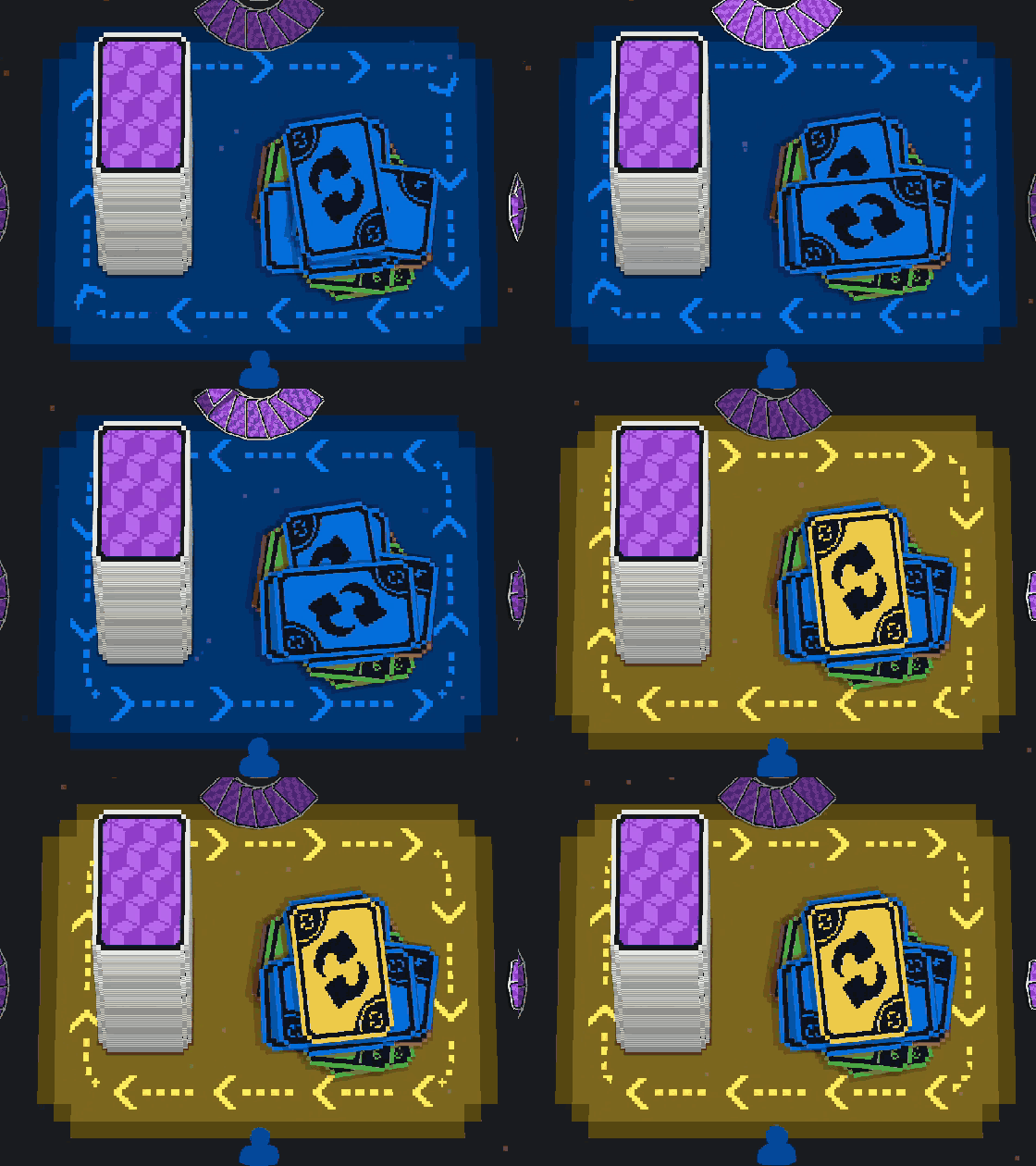
- A colour change sends a dithered ripple across the playmat, stepped at 12 frames per second to match the pixel art, and the arrows around the mat flip when play reverses.
- Reduced motion and the animation settings turn all of it down, for anyone who would rather not.
What’s next
Per-card shaders and full-screen effects both fit the same queue, and they are next. They are what will let a modded card look like more than a recoloured number.
The full list of what changed in 0.6 is in the changelog.